Creating a comfortable and inviting home workspace is key to maintaining productivity and staying motivated throughout your workday. Whether you work remotely full-time or occasionally, the right environment can make a big difference in your focus and overall well-being. In this post, we’ll explore practical tips to help you design a cozy, efficient workspace at home that supports both comfort and productivity.
Why a Cozy Workspace Matters
A workspace that feels inviting and comfortable encourages you to spend more focused time working. When your environment is cluttered, uncomfortable, or uninspiring, it can increase stress and make it harder to concentrate. Conversely, a well-designed workspace helps reduce distractions, improve your mood, and boost efficiency.
Choose the Right Location
Find a Quiet Spot
Select a part of your home where noise and distractions are minimal. A quiet corner, spare room, or a nook by a window can work well. If space is limited, try using noise-canceling headphones or white noise machines to block out background sounds.
Consider Natural Light
Good lighting is essential for comfort and focus. Position your desk near a window to benefit from natural light, which can reduce eye strain and improve your mood. If natural light isn’t an option, invest in quality task lighting such as adjustable desk lamps to brighten your workspace.
Invest in Comfortable Furniture
Ergonomic Chair
A supportive chair that promotes good posture is vital. Ergonomic chairs reduce the risk of back pain during long hours of sitting. Look for adjustable height and lumbar support to tailor the chair to your needs.
Suitable Desk
Choose a desk that fits your workflow and available space. Whether it’s a large surface for multiple monitors or a compact desk for a laptop, the right size helps keep your workspace organized and efficient.
Personalize Your Space for Comfort and Inspiration
Add Soft Textures
Incorporate cozy elements such as a soft rug, cushions, or a throw blanket. These touches create warmth and comfort, making your workspace feel more inviting.
Use Colors You Love
Choose colors that inspire calm and focus. Shades of blue and green are often recommended for productivity, but pick what works best for you. You can add color through wall art, accessories, or even colorful stationery.
Display Personal Items
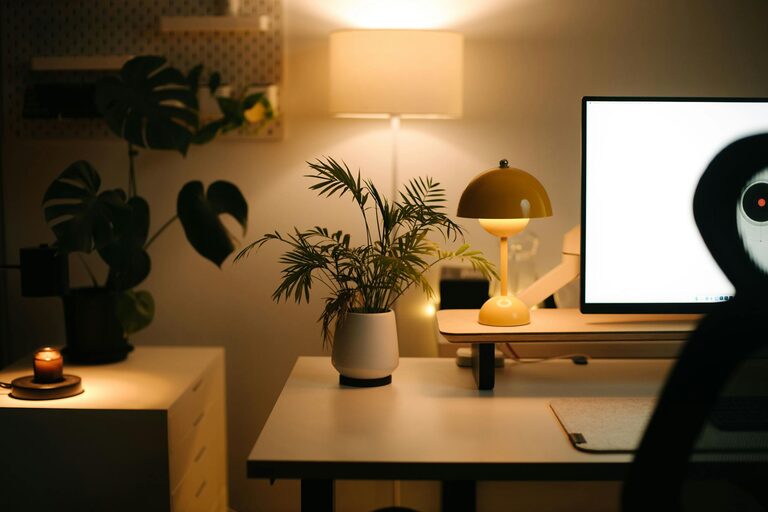
Photos, plants, or artwork can make your workspace feel uniquely yours. Plants also help improve air quality and bring a touch of nature indoors, which may boost mood and creativity.
Organize for Efficiency and Calm
Declutter Regularly
Keep your desk tidy by removing unnecessary items. A clear surface helps reduce mental clutter and improve concentration.
Use Storage Solutions
Use drawers, shelves, or organizers to keep office supplies neatly stored and within reach. Labeling containers can make finding things easier and keep your space orderly.
Manage Cables
Tidy cables using clips, ties, or cable boxes. A neat setup prevents frustration and maintains a clean look.
Set the Right Ambience
Control Temperature
Make sure your workspace is comfortably heated or cooled to prevent discomfort during work hours.
Play Background Music or Sounds
If it helps you focus, try soft instrumental music, nature sounds, or ambient noise. Avoid music with distracting lyrics.
Incorporate Short Break Areas
Having a small space where you can stretch or rest briefly can rejuvenate your mind. Consider placing a comfortable chair or yoga mat nearby to encourage short, frequent breaks.
Stick to a Routine
Finally, treat your cozy home workspace as a dedicated area for work. Establish set work hours and rituals like starting your day by tidying your desk or brewing a cup of tea. This helps your mind associate the space with productivity.
—
By combining thoughtful design, comfort, and organization, you can transform any space in your home into a cozy and productive workspace. Remember that small changes can make a big difference, so start with what feels right for you and continue refining your environment as needed. Happy working!